Your challenges
Is your HoloLens 2 solution being discontinued? Keep your headsets, just change the software.
Is your Dynamics 365 Guides, Spectral TMS, Synergiz Harbor or other HoloLens 2 solution reaching end of life?
Install #AugmentedTraining on your HoloLens 2: your hardware stays in use and your investment is preserved. We can help you migrate your tutorials from your old solution to #AugmentedTraining.
We support HoloLens 2 until at least the end of 2030.
And when you change hardware, your tutorials will run on the glasses and headsets we have selected, several of which are already compatible: Arvicom CART-S, Samsung Galaxy XR, VITURE Luma Ultra XR, XREAL Aura, VIVE Eagle and, soon, Arvicom CART-3D.
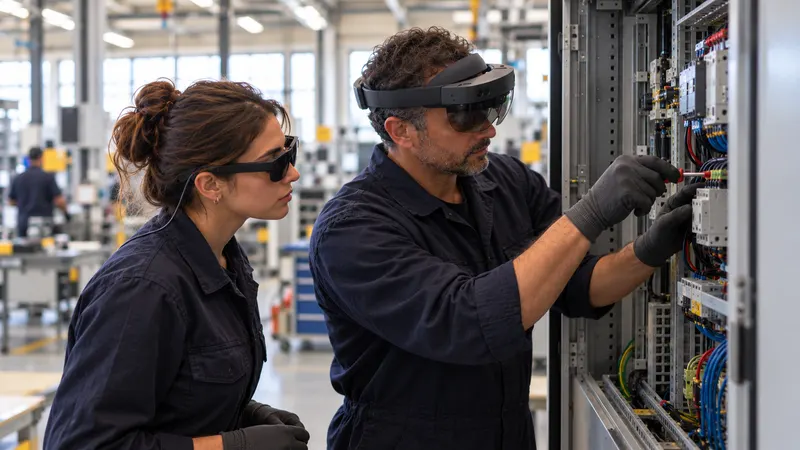
Were you using Spectral TMS, Microsoft Dynamics 365 Guides or Synergiz Harbor?
Discover #AugmentedTraining: the solution that lets you go further and keep using your HoloLens 2, offline, until the end of their life. After that, your tutorials can be reused, without being redone, on the headsets and glasses we support.
The situation
A device at end of life, procedures to save.
Guides and Remote Assist are being discontinued
Microsoft is discontinuing Dynamics 365 Guides and Remote Assist on 31 December 20261.
HoloLens 2 is no longer manufactured
Its security updates continue until December 2027 for connected devices23. At SHIFT89, we support it until at least the end of 2030: you have time to prepare what comes next. #AugmentedTraining needs no connection to work, so your HoloLens 2 headsets can be disconnected from Wi-Fi for maximum security.
Solutions tied to a single device
Spectral View, the Spectral TMS viewing application, is designed for HoloLens 24, like many industrial augmented-reality solutions: when the device stops, the training stops with it.
Years of procedures
The know-how built into your procedures must not be lost: you need to take it over without starting from scratch.
What SHIFT89 changes
Your headsets keep working, your procedures carry over, your experts take back control.
100% offline
No cloud, no Microsoft subscription: your procedures stay on your devices, under your sole control.
Learn moreA few minutes
Your experts rework each procedure on the real equipment, in a few minutes, adding their hands-on skill and the points to watch.
Learn moreThe right device, today and tomorrow
Your HoloLens 2 today; tomorrow, Arvicom CART-S, Samsung Galaxy XR, VITURE Luma Ultra XR, XREAL Aura, VIVE Eagle and, soon, Arvicom CART-3D: the same tutorial, on the device that suits each workstation.
Learn moreOn the real equipment
The instruction appears where action is needed, on the machine itself. Eyes never leave the workstation.
Learn more
Our approach
First, understand how a hands-on skill is learnt. Only then, the tool.
Before designing our tool, we studied how people learn to do with their hands what they cannot yet do.
A learning method from our research work
With research laboratories, we studied how people learn a task they don’t know how to do, in a constrained environment. The aim is not to make people act like robots: it is for everyone to understand, remember and own the skill. This method is validated by 5 industrial PhD theses.
A creation method within every expert’s reach
The real challenge is creation: experts don’t have time, and not all of them are comfortable with digital tools. They create their own tutorials, very quickly, with the help of the built-in AI, and these tutorials apply the learning method without them needing to know it.
The tool we wish we’d had
As former industry professionals, we know every second counts: the expert’s time must be kept as short as possible. We also know the value of trade or defence secrets: everything works offline, without compromise, artificial intelligence included, right down to translating a tutorial in a few seconds.
The result: tutorials created in a few minutes, that really make people learn.
At your site
You use…
Dynamics 365 Guides
Your HoloLens 2 headsets keep working after 31 December 2026, without a Microsoft subscription.
After GuidesSpectral TMS or Synergiz Harbor
Whatever your supplier’s situation, your procedures must not depend on it. They serve as a basis: your experts rework them on the equipment, in a few minutes, offline, on HoloLens 2 as well as on newer devices.
Prepare the transitionAnother solution on HoloLens 2
Same approach: your headsets keep working, your experts rework your procedures, and the next step is prepared with the right hardware.
Let’s talk about your fleetMeasured results
What our deployments have measured.
- After 1 day8 trainers ready to work after one dayMeasured during our deployments
- 1 minTo create an instructionBy the expert, on the real equipment, with no writing or editing (measured in our deployments)
- < 6 monthsReturn on investmentObserved in our deployments
Frequently asked questions
Your questions.
Will our tutorials carry over to the new devices?
Any tutorial created with #AugmentedTraining on HoloLens 2 can be reused, without being redone, on the headsets and glasses we support: Arvicom CART-S, Samsung Galaxy XR, VITURE Luma Ultra XR, XREAL Aura, VIVE Eagle and, soon, Arvicom CART-3D.
Can we still use our HoloLens 2 headsets?
Yes. #AugmentedTraining runs on HoloLens 2, without a Microsoft subscription. Microsoft publishes security updates until December 2027 for connected devices, and we support HoloLens 2 until at least the end of 2030; after that, we advise you on the future of your fleet. #AugmentedTraining needs no connection to run: your HoloLens 2 headsets can therefore be disconnected from Wi-Fi, for maximum security.
Can we take over our existing procedures?
Yes, they serve as a basis: your experts rework them on the real equipment, in a few minutes each, adding their hands-on skill and the points to watch.
How long does the switch take?
One day of onboarding: your trainers create their first tutorial that same afternoon, then, from the next day, on their own, as often as is useful.
Your other challenges
- Your challenges: overview
- Your experts are leaving, taking their know-how with them
- High staff turnover
- Train young people
- Mixed skill levels
- Not enough trainers
- No time to write procedures
- Training is expensive
- Train more to ramp up production
- Improve your teams’ safety
- Train your customers
- Don’t miss out
- Industry 4.0, profitable fast
- HoloLens 2 headsets gathering dust
- After Dynamics 365 Guides
- Compatible glasses and headsets
Sources
- Microsoft Learn, “Welcome to Dynamics 365 Guides” (updated 10/02/2026, end-of-availability notice) — learn.microsoft.com/en-us/dynamics365/mixed-reality/guides/overview (new window) (consulted on 26/10/2026)
- Microsoft Learn, HoloLens 2 release notes — learn.microsoft.com/en-us/hololens/hololens-release-notes (new window) (consulted on 26/10/2026)
- Microsoft Learn, “Where HoloLens 2 is supported” (updated 05/05/2025) — learn.microsoft.com/en-us/hololens/hololens2-purchase (new window) (consulted on 26/10/2026)
- Spectral TMS, “Product” page (Spectral Studio and Spectral View, HoloLens 2) — spectraltms.com/en/product (new window) (consulted on 27/10/2026)
Change solutions without starting from scratch.
A 30-minute to 2-hour demo, on one or more of your real cases, in your environment, with your teams. Just agree on a date.
or write to us