Deployment
8 trainers operational after one day
In our deployments, one day of training is enough: trainers create their first tutorial that same afternoon, then work on their own from the next day.
Result: 8 trainers operational at D+1.
Military schools
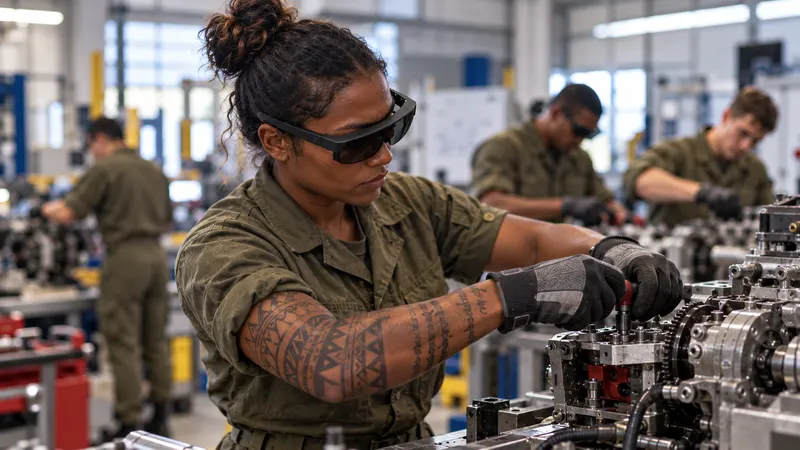
Technical schools, training centres, apprentice schools: the student follows the procedure in augmented reality, on the real equipment, both hands free. The instructor creates the tutorial once, in a few minutes. Everything works without a network, and no data passes to the software publisher.
We don’t know what our customers do, and we don’t need to know.Emmanuel Bricard, co-founder.
Your challenges
Every student must get time on the equipment, and time on training equipment is limited.
Training equipment is scarce and expensive: every hour spent on it counts.
Postings and new assignments: teaching know-how must stay at the school.
When teams rotateClosed rooms, isolated networks, sensitive data: training cannot depend on a connection.
100% offlineFor your instructors
Your instructors create, improve and keep the tutorials alive.
The tutorial takes over the repetition of the task: they deal with increasingly mixed levels and give tailored support to those who need it, helping more of them succeed.
Your training standard incorporates the best of your past, present and future instructors.
What SHIFT89 changes
What the instructor and the student experience.
No network to open, no online account for students, no data held by the software publisher.
Learn moreThe student keeps both hands on the tool and their eyes on the task, guided step by step on the real equipment.
Learn moreThe instructor creates the tutorial once, in a few minutes, on the school’s equipment: no writing, no filming, no mandatory editing.
Learn moreA quiz checks that the student has understood; the instructor tracks everyone’s progress and sees where people get stuck.
Learn moreUse cases
While one group follows the tutorial, the instructor supports those who need it.
Mixed skill levelsThe task rehearsed outside instruction hours, on the real equipment. The tutorial trains: it replaces neither the instructor nor the exam.
From initial qualifications to advanced certificates: the technical task on the real equipment, to review as often as needed.
NavyPreparing for specialist qualifications, on the school’s real equipment.
Land forcesTechnical procedures and the operation of medical equipment, shown on the real equipment, to review before each session.
The instruction in each person’s language, for trainees from partner forces.
Partner forcesThe difference
Every tool has its strengths. Here is what these approaches impose by nature, and what we do differently.
What we equip
Technical schools, training centres, apprentice schools: the same task, guided the same way.
Our hardware advice
Having worked in industry ourselves, we advise our customers as we would have done for ourselves: the device suited to your conditions of use, the length of your programmes and your budget. Only operational solutions.
Devices that work without any connection, from first to last use.
Repeated handling by entire intakes: we only recommend proven hardware.
Depending on use, lighter and more affordable glasses may be suitable; the right number of devices for your groups.
Turnkey: we configure each device and fit it with the necessary accessories, so that it works in your environment and with your constraints. What we prepare
Works on: Microsoft HoloLens 2, Arvicom CART-S, Samsung Galaxy XR, VITURE Luma Ultra XR, XREAL Aura and VIVE Eagle, and soon Arvicom CART-3D. Your content does not depend on a device.
Measured results
Figures measured during our deployments, a method validated by 5 industrial PhD theses and evaluated against Microsoft Dynamics 365 Guides.
Deployment
In our deployments, one day of training is enough: trainers create their first tutorial that same afternoon, then work on their own from the next day.
Result: 8 trainers operational at D+1.
Industrial research
Our method stems from work carried out with Institut Mines-Télécom in a boiler manufacturing plant. It was compared with Microsoft Dynamics 365 Guides.
Result: a study published at IEEE ISMAR 2022, the leading international conference on augmented reality.
Funding and procurement
An off-the-shelf solution, on quotation. It is up to the buyer to qualify their contract, according to the rules that apply to them.
One licence per device, glasses or headset, with volume discounts, and one licence for the PC application. Your choice: annual licences, multi-year licences or licences for the lifetime of the hardware. A quotation based on your project.
A one-hour scoping session by video call, one day on site with up to 8 of your experts, then standard project management. Additional support days when your project requires them.
Frequently asked questions
Yes. No connection is required, whether to create, to learn or to track learners. The artificial intelligence (transcription, translation, voice) also runs on your computers, offline.
One minute per instruction, a few minutes for a tutorial, on the school’s equipment. One day of training is enough to get started.
No, quite the opposite. It is your instructors who create, improve and keep the tutorials alive.
The tutorial then takes over the repetition of the task: they free up time and deal with increasingly mixed levels. The time saved lets them give tailored support to the students who need it, helping more of them succeed.
And their know-how is no longer lost: your training standard incorporates the best of your past, present and future instructors.
The tutorial trains; it replaces neither instruction nor the exam.
The official documentation remains the reference. The tutorial complements it: it shows the task on the equipment, right where action is needed, and can be updated in a few minutes when the documentation changes.
It also makes training far more engaging and effective, particularly for younger generations. And it enables independent training, where there is no safety risk for learners.
Finally, it becomes your training standard: all learners are trained the same way, and this standard improves continuously, incorporating the best of your past, present and future trainers.
Bringing a camera-equipped device into a protected area is subject to the approval of the site security officer: your rules apply. On our side, images stay on your equipment and none are sent to the software publisher. We do not know what our customers do with our solution, unless they tell us and share their content with us, on their own initiative.
At SHIFT89, we support HoloLens 2 until at least the end of 2030, so you can use your investment for longer. #AugmentedTraining needs no connection to work: your HoloLens 2 headsets can therefore be disconnected from Wi-Fi, for maximum security.
Your content does not depend on a single device: several augmented-reality glasses and headsets are compatible. We advise you, completely independently, on the one that suits your operating conditions and your budget.
All content created with #AugmentedTraining on HoloLens 2 can be reused, without being redone, on the new glasses and headsets we support.
A 30-minute to 2-hour demonstration, on a piece of your school’s equipment, on an isolated network if needed.
or write to us