Schools and training centres
You can’t be at every workstation. The tutorial can.
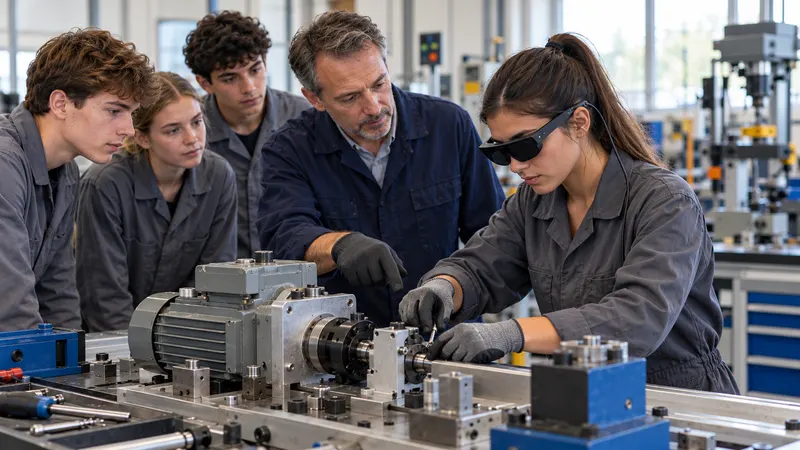
Large groups, too few specialist teachers, young people to motivate: while you support one learner, the others follow lockout, diagnosis and return to service step by step, guided in augmented reality in your technical training area. No tablet resting on the casing, no Wi‑Fi to request, no online account to create.
Your challenges
One training area, one teacher, many learners.
Every learner needs time on the equipment, and practice.
The training area is not the factory
Full-scale equipment is often missing from training establishments: every hour on the equipment you do have counts.
Specialist teachers in short supply
Recruiting technical teachers and trainers is difficult: those you have must be able to multiply their reach.
When trainers are in short supplyMixed skill levels
Within the same group, some progress on their own, others need you.
Mixed skill levelsEnergized systems
Lockout, safe working: the right procedure, in the right order, before touching anything.
What SHIFT89 changes
Offline, hands-free, in your technical training area.
A tool that motivates young people and multiplies teachers’ reach.
100% offline
No online account, no connection: no network to open for the workshop, no learner data outside your walls.
Learn moreHands-free
The learner keeps their hands on the tool and their eyes on the system: no tablet resting on the casing.
Learn moreA few minutes
The teacher creates the tutorial during the demonstration they already give, then reuses it from one group to the next.
Learn moreVerified learning
A quiz checks that the learner has understood; you see who hesitates, and on which step.
Learn more
Use cases
In the technical training area, day to day.
Preparation, making safe and close-out
Energy isolation, lockout and safe restoration in the right order, on the actual system.
Take the challenge (2 min)Preventive, corrective and improvement maintenance
One tutorial per activity, created on your systems and reused from one group to the next.
The mentor’s skill, brought back from the company
The mentor passes on the intervention on the full-scale equipment; you work on it again in class. Nothing goes over the Internet.
One teacher, several work cells
The glasses or headset guide one group while you support those who need it.
Students who create
Your most advanced students create the tutorials themselves, for the younger ones to follow.
Adult learners and non-native speakers
The instruction spoken, shown, and translated if needed, for those less comfortable with reading and writing.
What we equip
The language of vocational training.
The tutorial fits into your practical activities. It trains: it replaces neither the exam nor the authorizations required to intervene.
- Technical training area
- Each system in your training area has its own tutorials, usable by all your groups.
- Lockout and lockout removal
- Each step shown in the right place, in the right order, before touching anything.
- Work placements and apprenticeship
- The mentor’s skill, passed on before, during and after the period in the company.
- Skills
- Tutorials linked to the skills in your curricula, and each learner’s progress.
- Continuing professional education
- Adults changing careers learn the task on the real equipment, at their own pace.
Our hardware advice
The right hardware for your students, not the latest fad.
We recommend the devices suited to your technical training area, your groups and your budget, as we would have done for ourselves. Only hardware proven in real conditions.
The institution’s budget
Devices chosen to last and to fit your budget: depending on use, lighter and more affordable glasses may be suitable.
Robustness
Repeated handling by groups of students: we only recommend proven hardware.
No network in the workshop
No network to open for the practical work room, no online account for students.
Turnkey: we configure each device and fit it with the necessary accessories, so that it works in your environment and with your constraints. What we prepare
Works on: Microsoft HoloLens 2, Arvicom CART-S, Samsung Galaxy XR, VITURE Luma Ultra XR, XREAL Aura and VIVE Eagle, and soon Arvicom CART-3D. Your content does not depend on a device.
Measured results
What our deployments have measured.
- × 2Train twice as fast, autonomouslyMeasured in our deployments, at a tier-one automotive supplier
- ÷ 5Trainers and mentors tied up5 times fewer, measured in our deployments
- +90%RetentionAccording to our method, validated by 5 industrial PhD theses
They trust us
- A training organization for the food industry
- An aeronautics trades campus
- An adult education network
- An apprentice training centre (CFA)
For confidentiality, we only name a customer with their written consent.
Funding and procurement
Simple purchasing.
An off-the-shelf solution, on quotation. It is up to the buyer to qualify their purchase, according to the rules that apply to them.
Licences on quotation
One licence per device, glasses or headset, with volume discounts, and one licence for the PC application. Your choice: annual licences, multi-year licences or licences for the lifetime of the hardware. A quotation based on your project.
One day to get started
A one-hour scoping session by video call, one day on site with up to 8 of your experts, then standard project management. Additional support days when your project requires them.
Frequently asked questions
Your questions.
Is an Internet connection needed in the workshop?
No. No connection and no online account: nothing to ask of the IT department.
How long does it take to create a tutorial?
One minute per instruction, a few minutes for a tutorial: the teacher creates it during the demonstration they already give. One day of training is enough to get started.
Does the tutorial replace the exam or authorizations to intervene?
No. It is for practice: it prepares and rehearses the task. It replaces neither assessment nor the authorizations required to intervene, which remain governed by the rules of your country.
HoloLens 2 is no longer manufactured. Is that a risk?
Your content does not depend on a single device: it also runs on other compatible glasses and headsets, such as Arvicom CART-S, Samsung Galaxy XR, VITURE Luma Ultra XR, XREAL Aura, VIVE Eagle and, soon, Arvicom CART-3D. HoloLens 2 security updates continue until December 2027 for connected devices, and we support it until at least the end of 2030.
What about the image rights of recorded learners?
The institution manages them as for any recording. With SHIFT89, recordings stay on its devices and computers: nothing leaves its premises.
What hardware should we buy?
We recommend the glasses or headsets suited to your use and your budget, and only hardware proven in real conditions.
Give every learner more practice.
A 30-minute to 2-hour demonstration, on a piece of equipment in your technical training area.
or write to us